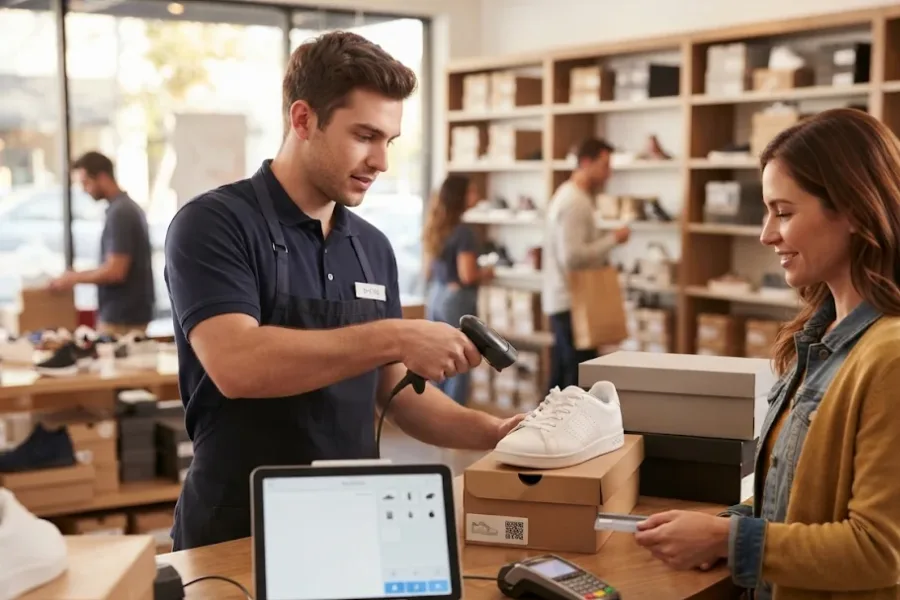
Managing a shoe store involves more than processing purchases. Each footwear model may come in multiple sizes, colors, and styles, and every variation needs accurate stock records. As new collections arrive and older products move through seasonal promotions, retailers must keep track of which sizes are available, where inventory is located, and which products are selling. A basic checkout system may work for a small store, but expanding product ranges, sales channels, and locations can make inventory management more complex. Choosing the right shoe store POS requires evaluating how well it handles product variations, stock movements, ecommerce orders, and future growth. This guide covers the key features and criteria footwear retailers should consider before investing.
What Features Should You Look for in a Shoe Store POS?
Footwear retailers need POS capabilities that connect product information, inventory movements, and sales activity. A shoe model may have dozens of size and color combinations, so tracking stock only at the parent-product level can make it difficult to identify actual availability. The following features help retailers manage these requirements.
- Product Variant Management: Organize shoe models by size, color, style, brand, and other attributes. Each variation should have its own SKU and inventory quantity so staff can distinguish between, for example, a black sneaker in size 8 and the same model in size 9.
- Inventory Management: Track stock quantities, incoming deliveries, transfers, replenishment, and inventory adjustments. Retailers with multiple locations also need visibility into where each size and style is currently available.
- Ecommerce Integration: Connect online and physical stores to coordinate product information, inventory, and orders. Stock changes made through one sales channel should be reflected in connected channels to reduce discrepancies.
- Customer Management: Maintain purchase histories, loyalty information, and customer preferences. These records can help staff understand repeat purchases and provide relevant product recommendations.
- Sales Reporting: Analyze performance by shoe model, size, brand, season, and store location. Detailed reports help retailers identify popular sizes, slow-moving products, and collections that may need replenishment or markdowns.
- Checkout and Returns: Process multiple payment methods, discounts, refunds, and size exchanges while keeping transaction and inventory records accurate. Staff should be able to trace the original purchase and record returned or exchanged items correctly. This is important because 67% of consumers surveyed by NRF and Happy Returns said a negative return experience would discourage them from shopping with a retailer again.
How to Choose the Right Shoe Store POS for Business Growth?
A feature list alone does not show whether a POS system fits a footwear retailer’s daily operations. Businesses should evaluate each provider using actual products, inventory scenarios, and sales workflows. Testing these situations before purchasing can reveal limitations that may not be obvious during a standard product demonstration.
Evaluate Inventory Management for Size and Style Variations
Start by examining how the POS organizes footwear products and their variations. A shoe model may have several sizes and colors, but each combination needs an identifiable stock record. Without this level of detail, staff may see that a product is available while being unable to confirm whether the customer’s preferred size is in stock.
During a POS evaluation, retailers should:
- Check whether each shoe variation can have a unique SKU and independently tracked stock quantity.
- Assess how staff can receive new collections and record quantities by size, color, and style.
- Test inventory adjustments, stocktaking, replenishment, and low-stock alerts.
- Examine whether reports identify popular and slow-moving sizes rather than showing only total sales by product model.
- Confirm that staff can locate available sizes across different stock locations.
Accurate size-level inventory records also have a direct impact on sales opportunities. In its Spring 2026 footwear survey conducted with the Footwear Distributors and Retailers of America (FDRA), AlixPartners reported that 65% of consumers had abandoned a footwear purchase because their size was out of stock. This makes SKU-level tracking particularly important for retailers that carry multiple sizes and styles of the same shoe model.
The evaluation should focus on how quickly and accurately the system answers these questions. A retailer with hundreds of product variations may need more detailed inventory controls than a store selling a smaller, simpler assortment.
Assess Ecommerce Integration and Omnichannel Capabilities
If a shoe retailer sells through both physical stores and an ecommerce website, the shoe store POS should connect relevant product, inventory, and order information between these channels. Otherwise, staff may need to update stock records manually after online purchases, increasing the risk of selling a size that is no longer available.
Consider the following points when evaluating integrations:
- Identify the existing ecommerce platform and confirm that the POS has a compatible integration.
- Check how product variations, SKU information, stock quantities, and orders synchronize between systems.
- Evaluate click-and-collect, cross-channel returns, and store-based order fulfillment.
- Test how the POS handles inventory updates when the same shoe variation is sold online and in a physical store.
- Clarify whether synchronization happens automatically and how the system handles failed updates or conflicting records.
This is particularly important when the same product range is sold through several channels. Retailers should test the actual data exchanged between their POS and ecommerce platform rather than assuming that an integration automatically covers every workflow.
Consider Multi-Store Management and Future Expansion
A footwear retailer opening a second or third location needs a clearer view of inventory and sales across the store network. Without centralized records, staff may have to contact other branches to check stock availability, while managers may need to combine separate reports to understand overall performance.
A suitable shoe store POS should be evaluated against these requirements:
- Determine whether inventory and sales information can be viewed centrally across locations.
- Test stock transfers and the ability to check size availability at another branch.
- Review store-level and consolidated reporting for sales, inventory, and product performance.
- Examine staff permissions and operational controls for different stores.
- Assess how additional locations, checkout registers, and warehouses affect the system configuration and subscription costs.
Retailers should also consider how the POS will handle future changes. A system that works for two stores may become difficult to manage when the business adds warehouses, new ecommerce channels, or more complex staff responsibilities.
Compare Total Costs, Technical Assistance, and Long-Term Value
The advertised subscription fee is only one part of the investment. A footwear retailer should calculate the cost of running the complete POS setup, including checkout equipment, payment processing, integrations, and implementation.
Before choosing a provider, review:
- Software Subscription: Compare monthly fees, billing commitments, register limits, and the features included in each plan.
- Hardware: Account for terminals, barcode scanners, receipt printers, cash drawers, and other equipment required at each checkout point.
- Payment Processing: Review transaction fees, supported payment methods, and merchant agreement conditions.
- Integrations: Identify additional charges for ecommerce connections, accounting applications, loyalty tools, or other third-party services.
- Implementation and Training: Consider setup, data migration, employee training, and the resources required to maintain the system.
- Technical Assistance: Examine available service channels, response arrangements, documentation, and ongoing maintenance.
- Scalability: Estimate how expenses may change as the product catalog, number of registers, sales channels, and store network expand.
Whenever possible, request a demonstration using actual footwear products and workflows. Test a new product receiving process, a size exchange, an online order, and a stock transfer before making a decision. These scenarios provide a more useful basis for comparison than a general feature checklist.
What Can Hold Back a Growing Shoe Retail Business?
As a footwear business expands, product variations and disconnected operations can create challenges that basic checkout systems may not address. These issues can affect inventory accuracy, order fulfillment, and customer experience.
Operational Bottlenecks in Footwear Retail
- Size and Color Stock Discrepancies: Without independent variant tracking, inventory may show a shoe model as available even when the customer’s preferred size or color is out of stock.
- Slow Stock Transfers: Limited visibility across locations makes it harder to locate specific sizes and transfer stock between branches.
- Disconnected Online and In-Store Sales: Separate systems can create inventory discrepancies and complicate order fulfillment across sales channels.
- Time-Consuming Returns and Exchanges: Disconnected transaction records make it harder to trace purchases and update inventory after size exchanges.
- Limited Product Performance Insights: Basic reports may not identify best-selling sizes, brands, or seasonal collections, making replenishment decisions less accurate.
When these issues become frequent, retailers may need a more connected shoe store POS environment that combines product variants, inventory, ecommerce orders, and store-level operations.
ConnectPOS is a shoe store POS solution that footwear businesses can evaluate when their existing systems become difficult to manage across product variations, sales channels, or store locations. Its relevance becomes clearer when a retailer needs to check specific shoe sizes across branches, coordinate online orders with physical inventory, or manage stock transfers between locations.
Relevant capabilities include:
- Product Variant Management: ConnectPOS provides product variant creation for attributes such as size and color, with unique SKUs for individual variations. This is relevant to shoe retailers that need to distinguish stock quantities for different combinations under the same shoe model.
- Inventory Management: Stocktaking, stock transfers, and multi-source inventory functions are available in applicable plans. These capabilities can help retailers manage inventory across stores and warehouses while keeping track of stock movements.
- Multi-Store Management: Retailers can manage operations across multiple locations through an integrated environment. Centralized visibility is useful when staff need to check product availability at another branch or managers need to review store-level performance.
- Ecommerce Integration: ConnectPOS integrates with eCommerce platforms including Shopify, Magento, WooCommerce, and BigCommerce. Retailers can evaluate these connections to coordinate product, order, and inventory information between their physical stores and online shops.
- Omnichannel Workflows: Click-and-collect and related order management capabilities can help retailers coordinate online purchases with store-based fulfillment. This is useful when customers want to collect an online order at a nearby branch.
- Sales and Customer Management: Reporting and analytics tools provide visibility into retail activity, while customer management capabilities can help maintain purchase records and loyalty information. Retailers should check the available functions against their reporting and customer engagement requirements.
Pricing Structure: ConnectPOS provides several subscription tiers billed per register.
- Standard costs $49 per register per month, Advanced costs $79, and Premium costs $99.
- With annual billing, the equivalent monthly rates are $39, $69, and $89 per register, respectively. Enterprise pricing is available by quotation.
ConnectPOS may be an option for shoe retailers looking to manage product variants, inventory, and sales across multiple locations and channels. However, the right plan depends on the store’s operational needs, required integrations, and expected growth.
FAQs: Shoe Store POS Systems
What is the best POS system for a shoe store?
The best POS system depends on the retailer’s product catalog, inventory complexity, number of locations, ecommerce requirements, and budget. Businesses should prioritize SKU-level variant tracking, inventory visibility, connected sales channels, and reporting that identifies performance by size and style.
Can a shoe store POS track different sizes and colors?
Yes. A POS with product variant management can organize a shoe model into individual variations based on size, color, and other attributes. Each variation should have a unique SKU and separately tracked stock quantity so staff can confirm the availability of a specific combination.
Can shoe store POS software integrate with ecommerce platforms?
Many retail POS systems offer integrations with ecommerce platforms. Retailers should verify whether the connection synchronizes product variations, inventory quantities, orders, and relevant customer information. They should also test how online purchases affect stock availability at physical stores.
How much does a shoe store POS system cost?
Costs vary by provider, subscription tier, register count, and business requirements. Retailers should account for software fees, hardware, payment processing, ecommerce integrations, implementation, and ongoing maintenance when comparing the total cost of ownership.
Conclusion
Choosing a shoe store POS requires more than finding software that can process transactions. Footwear retailers need accurate product variant tracking, reliable inventory records, connected online and in-store operations, and visibility across locations as the business grows. Testing these capabilities against actual workflows, including size exchanges, stock transfers, and ecommerce orders, can help identify whether a system fits current operations and future plans.
Before making a decision, compare the complete operating costs and confirm which features are included in the selected plan. If you’re evaluating ConnectPOS for your footwear business, explore the available pricing plans or contact our team to discuss a configuration that matches your store structure and operational requirements.
See ConnectPOS Pricing►►► Optimal solution set for businesses: Shopify POS, Magento POS, BigCommerce POS, WooCommerce POS, NetSuite POS, E-Commerce POS