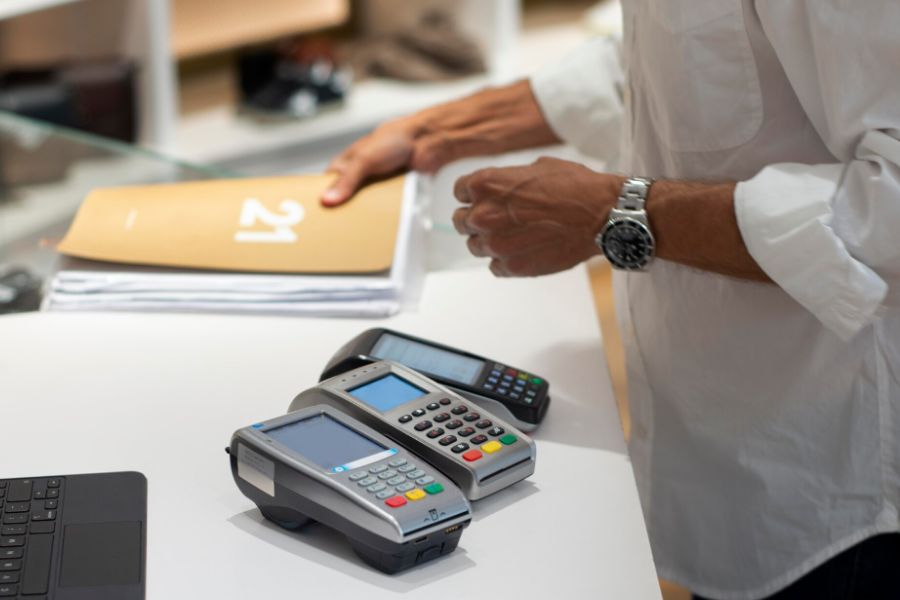
Running a retail business becomes more complex when POS, inventory, ecommerce, and accounting systems operate independently. Employees may need to enter information repeatedly, correct stock discrepancies, or wait for updated sales reports. These issues become more noticeable as sales volumes and channels grow. POS integration connects these systems to exchange relevant operational data, helping retailers coordinate sales, inventory, customer records, and financial processes. For those asking what is a POS integration, this guide explains how it works, its main types, operational benefits, and common implementation challenges.
Highlights
- POS integration connects checkout systems with other business applications, allowing supported sales, inventory, customer, and financial records to be exchanged.
- Connected systems can reduce repetitive administrative work and support more accurate retail operations, particularly in inventory management, order fulfillment, and reporting.
- Successful integration depends on software compatibility, reliable data, and clear synchronization rules. Retailers should assess implementation requirements before connecting additional systems.
What Is A POS Integration?
The POS integration definition is straightforward: it is the process of connecting a point-of-sale system with other business applications so they can exchange relevant operational information.
In practical terms, the POS integration meaning is about sharing operational records rather than managing each application in isolation. A standalone POS primarily records transactions at checkout. Staff may use separate applications to manage online orders, inventory, accounting, and customer relationships. Without integration, information recorded in one system may need to be entered manually into another.
An integrated POS environment allows supported information to move between connected applications. Common data includes:
- Sales transactions and order details
- Product information, SKUs, and prices
- Inventory quantities and stock adjustments
- Customer profiles and purchase histories
- Payment records, refunds, and tax information
For example, when a customer purchases a pair of shoes at a physical store, the POS records the sale. If the POS is connected to the retailer’s ecommerce and inventory systems, the transaction can trigger an update to the corresponding stock record.
The online store can then reflect the revised product availability according to the integration’s synchronization rules.
POS integration does not necessarily mean every application shares the same database or updates instantly. The information exchanged, update frequency, and supported workflows depend on the systems involved.
How Does POS Integration Work?
Beyond the basic POS integration definition, the technical connection typically relies on APIs, built-in integrations, or middleware. The process typically involves four stages:
- System Connection: The POS establishes an authorized connection with an ecommerce platform, accounting application, or another business system. The connection determines which data can be accessed and exchanged.
- Data Exchange: Connected applications transfer supported information, such as sales transactions, product details, inventory adjustments, and customer records, when relevant activities occur.
- Data Synchronization: The receiving system updates its records according to configured rules. Depending on the integration, updates may occur in near real time or at scheduled intervals.
- Error Monitoring: Integration logs and reconciliation checks help identify failed transfers, duplicate records, and data inconsistencies that require correction.
What Are the Main Types of POS Integrations?
Retailers can connect their POS systems with different business applications depending on their sales channels, operational requirements, and existing software. The most common types of POS integrations include:
- Ecommerce Integration: Connects in-store checkout with platforms such as Shopify, Magento, WooCommerce, and BigCommerce. Supported integrations exchange product, inventory, order, and customer information, helping retailers coordinate online and in-store sales.
- Inventory Management Integration: Links POS transactions with inventory software to update stock records after sales, returns, and adjustments. This is particularly useful for businesses managing numerous SKUs, multiple warehouses, or frequent stock transfers.
- Payment Gateway Integration: Connects POS checkout with payment processors and terminals to handle transactions, refunds, and payment records. Supported payment methods and hardware depend on the provider, region, and POS configuration.
- Accounting Integration: Transfers sales summaries, taxes, refunds, and payment information to accounting applications. For example, daily POS transactions can be transferred to accounting software to support financial reconciliation.
- CRM and Loyalty Integration: Connects customer profiles, purchase histories, and loyalty information across supported systems. Retailers can use these records to manage rewards, recognize returning customers, and provide more relevant service.
- ERP Integration: Links POS transactions with broader business processes, including purchasing, inventory planning, finance, and warehouse management. It is particularly relevant for retailers managing complex operations across multiple departments or locations.
The right combination depends on which business processes need to share information and how the retailer manages its daily operations.
How Does POS Integration Improve Business Operations?
The operational value follows directly from the POS integration definition: checkout, inventory, ecommerce, and accounting systems exchange relevant records rather than requiring staff to maintain them separately. Connected applications reduce repetitive tasks, improve data consistency, and give employees better access to the information needed for daily operations.
Minimizes Manual Data Entry and Administrative Work
Disconnected systems often require employees to record the same information multiple times. A cashier may complete a sale in the POS, while an administrator later enters the transaction into accounting software. Refunds and order adjustments create additional work, increasing the risk of missing or duplicated records.
POS integration can transfer supported transaction information between applications, reducing manual updates. For example, daily sales summaries, taxes, and refunds can be sent to accounting software without recreating each transaction. Employees can spend less time on repetitive data entry and more time handling customer requests and operational issues.
Improves Inventory Accuracy Across Sales Channels
Maintaining accurate stock records becomes difficult when retailers sell through both physical stores and ecommerce platforms. A product may remain available online after its final unit has been sold in-store, potentially resulting in overselling and canceled orders.
Research published in The International Review of Retail, Distribution and Consumer Research reports that previous studies have found inventory record inaccuracies affecting approximately 50%–70% of retail SKUs at a given time.
POS integration helps coordinate inventory updates after supported sales, returns, and stock adjustments. When a customer purchases the last available handbag in-store, the connected ecommerce system can reflect the updated quantity. Retailers can also track stock across locations to support replenishment decisions, although regular physical inventory checks remain necessary.
Supports More Coordinated Order Fulfillment
Managing online and in-store orders through separate systems can delay fulfillment. Employees may need to check inventory, confirm order details, and communicate with warehouse or store teams manually, particularly when orders involve multiple locations.
Connected POS, inventory, and ecommerce systems can support workflows such as buy online, pick up in-store (BOPIS) and ship-from-store. For example, when a customer selects store pickup, employees can access the order details and check stock availability at the designated location. This helps retailers prepare orders more efficiently and identify inventory issues before fulfillment.
Creates More Consistent Customer Experiences
Customers may shop through a retailer’s website, physical stores, and loyalty program. When these channels maintain separate records, employees may have limited access to previous purchases or available rewards, making it harder to provide consistent service.
POS integration with CRM and loyalty applications can connect supported customer profiles, purchase histories, and reward information. For instance, store staff may be able to recognize a returning online customer and access relevant purchase details to assist with product recommendations. Retailers can also coordinate loyalty benefits across eligible channels while maintaining appropriate customer data permissions.
Simplifies Financial Reporting and Reconciliation
Retail transactions generate financial records involving sales, payments, taxes, discounts, and refunds. When this information is stored across different applications, accounting teams may spend considerable time comparing reports and correcting discrepancies.
Accounting integrations can transfer supported POS transaction data into financial software, reducing repetitive administrative work. For example, daily sales summaries can be compared against payment processor settlements to identify differences. Accountants still need to review processing fees, refunds, and settlement timing, but connected records provide a more consistent basis for reconciliation.
Provides Better Visibility Into Business Performance
Retail managers need reliable sales and inventory information to evaluate product performance, plan replenishment, and compare store results. When records are scattered across disconnected systems, reporting becomes more time-consuming and inconsistencies may affect business decisions.
POS integration helps bring relevant operational information together for reporting. A retailer with three stores, for example, can compare sales and inventory movements to identify locations with excess stock or products requiring replenishment.
The 2025 Data Landscape report on Retail and CPG highlights broader challenges involving fragmented data and inconsistent business information. Connected systems can help address these issues, provided retailers also maintain accurate product identifiers and consistent reporting practices.
What Challenges Should Businesses Expect With POS Integration?
POS integration can improve coordination between business applications, but implementation may introduce several technical and operational challenges:
- Software Compatibility: Not every POS supports the same ecommerce platforms, payment providers, or accounting applications. Even available integrations may not cover all required workflows or data fields.
- Data Synchronization Issues: Duplicate SKUs, inconsistent product records, and conflicting update rules can cause inventory discrepancies or missing transactions across connected systems.
- Implementation Costs: Software subscriptions, third-party connectors, hardware, data migration, and customization can increase the total cost of integration.
- Security and Compliance: Exchanging customer, employee, and transaction information requires appropriate access controls, authentication, and compliance with applicable data protection requirements.
- Ongoing Maintenance: Software updates, API changes, and connection failures may interrupt data transfers, requiring regular monitoring and technical support.
These challenges often become more noticeable when retailers open a second store, introduce additional sales channels, or connect their POS with ERP and accounting systems. A setup that previously handled basic transactions may require more manual adjustments as operations expand.
As retailers expand to multiple locations or introduce additional sales channels, basic POS integrations may no longer support every operational requirement. ConnectPOS offers several capabilities for businesses facing these challenges:
- Ecommerce Platform Integration: ConnectPOS connects with Shopify, Magento, WooCommerce, and BigCommerce, allowing retailers to exchange supported product, order, customer, and inventory information between online and physical stores.
- Real-Time Inventory Synchronization: Its POS integration capabilities support inventory updates across connected sales channels, helping retailers reduce stock discrepancies and maintain more accurate product availability.
- Multi-Store and Warehouse Management: Retailers can manage inventory across multiple locations, monitor stock movements, and support transfers between stores or warehouses without maintaining separate inventory records for each location.
- Omnichannel Order Fulfillment: ConnectPOS supports omnichannel POS workflows, including click-and-collect and cross-channel order management, allowing retailers to coordinate eligible online and in-store orders.
- Third-Party Business Integrations: ConnectPOS offers integration options for ERP, CRM, accounting, and payment applications, helping businesses connect checkout activities with other operational processes. Compatibility depends on the selected software and configuration.
- Staff Roles and Permissions: Retailers can assign access levels based on employee responsibilities, helping managers control sensitive checkout functions and maintain clearer staff permissions across locations.
- Centralized Reporting and Analytics: ConnectPOS provides reporting tools for monitoring sales, inventory movements, and store performance, helping retailers compare results across connected locations and sales channels.
These capabilities become particularly relevant when retailers open additional stores, manage inventory across several locations, or rely on multiple business applications. Before implementation, businesses should confirm system compatibility, synchronization requirements, and available features with the ConnectPOS team.
FAQs: POS Integration
What Is an Example of POS Integration?
A common example is connecting an in-store POS with an ecommerce platform. When a customer purchases a product at a physical store, the POS records the transaction and sends a supported inventory update to the ecommerce system. The online store can then reflect the revised stock availability. The update timing depends on the integration configuration.
Can POS Systems Integrate With Accounting Software?
Yes. Many POS systems support accounting integrations through built-in connections, third-party applications, or APIs. Depending on the provider, these connections can transfer sales summaries, tax information, refunds, and payment records. Retailers should verify the accounting software version, supported fields, and reconciliation requirements before implementation.
Does POS Integration Require an API?
Not always. APIs are widely used, but retailers may also connect applications through native integrations or middleware. A built-in integration can simplify setup when both systems are already compatible. More specialized workflows may require additional configuration or custom development.
Conclusion
For businesses still asking what is a POS integration, the key takeaway is that it connects checkout with other applications to coordinate sales, inventory, orders, customer information, and financial records. The POS integration meaning extends beyond connecting software: its practical value lies in reducing repetitive work and making relevant operational information more accessible. The results depend on accurate data, compatible applications, and synchronization rules that reflect the retailer’s actual processes.
Businesses should begin by identifying the workflows causing the most problems, then evaluate integrations that address those requirements. For retailers managing multiple sales channels or considering additional business software, the next step is to chat with the ConnectPOS team about existing systems, operational challenges, and compatible integration options.
Chat with our team►►► Optimal solution set for businesses: Shopify POS, Magento POS, BigCommerce POS, WooCommerce POS, NetSuite POS, E-Commerce POS