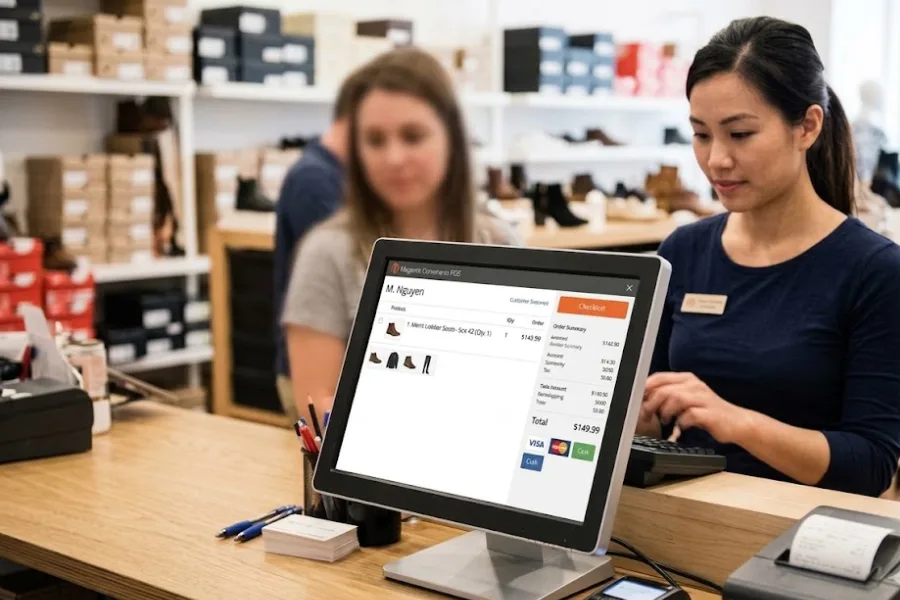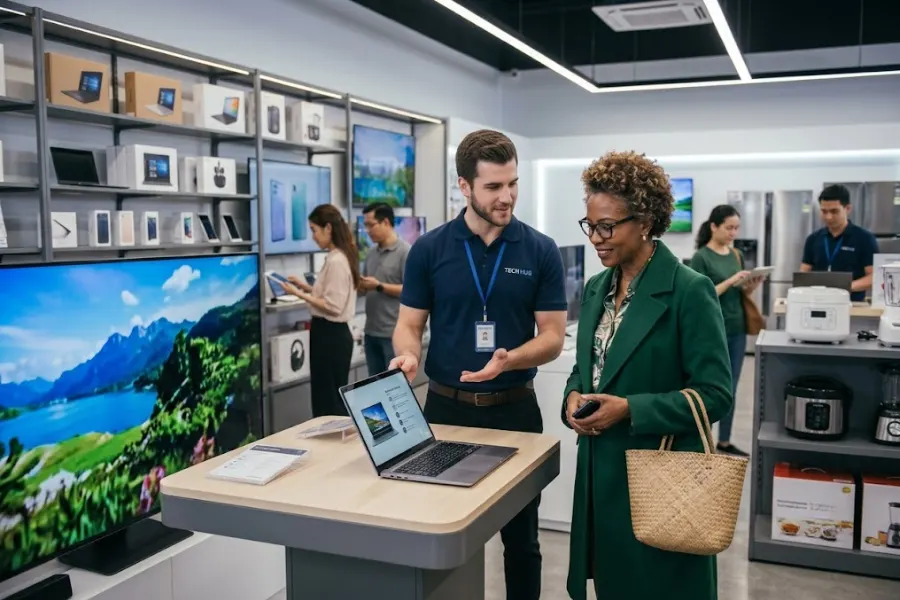
Mastering point of sale software training is essential for any staff member looking to thrive in an omnichannel environment. When employees are proficient with their tools, they do more than just process transactions; they act as brand ambassadors who guarantee operational fluidity. Proper training reduces friction, minimizes costly errors, and directly impacts the bottom line.
This guide from ConnectPOS will explore the fundamental and advanced competencies required for retail excellence, including how modern solutions are designed to shorten the learning curve for new hires and seasoned pros alike.
Highlights
- Proper training minimizes costly transaction errors and ensures inventory data remains accurate across all sales channels.
- Sharp POS skills allow staff to process payments quickly and provide personalized service through integrated CRM tools.
The Importance of Point of Sale Software Training for Businesses
Investing in comprehensive point of sale software training is one of the most effective ways to safeguard your brand’s reputation and bottom line. As retail technology becomes more sophisticated, the gap between a trained and untrained employee becomes a major factor in store profitability. Recent industry benchmarks from Appriss Retail’s 2026 Loss Report reveal that inventory errors and operational inefficiencies, often caused by poor system usage, account for approximately 73% of total retail shrink.
- Reduces Transaction Errors: Manual entry mistakes are the “silent killers” of retail profitability. Proper training ensures that staff understands how to scan items correctly, apply the right modifiers, and verify price overrides, keeping your books balanced.
- Improves Customer Experience: Speed is a currency in retail. A staff member with sharp point of sale skills can navigate a queue with precision, ensuring that the technology assists the interaction rather than hindering it with awkward pauses or technical confusion.
- Increases Staff Confidence and Efficiency: Nothing demoralizes an employee faster than a line of frustrated customers and an unfamiliar system. Mastery of the POS interface empowers employees to handle peak hours with composure and professional ease.
- Enhances Operational Accuracy: Training extends beyond the “Sale” button. It encompasses inventory management and data integrity. When staff know how to input data correctly, the backend reports remain accurate, allowing managers to make informed purchasing decisions.
Core Point of Sale Software Training Skills Every Staff Member Needs
To build a solid foundation, point of sale software training for staff must focus on the daily “bread and butter” operations that keep the store running. A recent 2026 Global Payments Report reveals that digital wallets now drive over 63% of in-person spend in leading markets like the APAC region. This shift underscores the necessity of comprehensive POS cashier training to ensure staff can troubleshoot and process diverse payment types from QR codes to mobile wallets without causing delays at the register.
Basic POS Navigation Skills
Before processing a sale, staff must be comfortable with the “digital floor plan.” This includes secure logging in, switching between user profiles, and quickly accessing the product catalog via search or category tabs.
Speed in navigation directly correlates to shorter wait times and higher customer satisfaction.
Processing Different Types of Transactions
Retail isn’t always a straight line. Employees must be experts in processing standard sales, but also the “reverse” flows: returns, partial refunds, and exchanges.
Training ensures that when a return is processed, inventory levels adjust automatically across all integrated channels, preventing “phantom stock” issues.
Handling Multiple Payment Methods
Modern consumers expect flexibility. Staff need point of sale software training that covers everything from traditional cash handling and chip-and-pin cards to mobile wallets (Apple Pay/Google Pay) and the redemption of digital gift cards or “Buy Now, Pay Later” (BNPL) options.
Customer Management Skills
Many POS systems now include built-in customer relationship management (CRM) features. These tools let employees access customer profiles, track purchase history, and manage loyalty programs.
Staff should learn how to:
- Look up existing customer profiles
- Create new accounts during checkout
- Apply loyalty rewards or points
- Update customer contact information
These capabilities allow employees to personalize interactions and build stronger relationships with customers.
Inventory Awareness Through POS
Inventory management is another important aspect of POS operations. While employees may not directly manage stock levels, they still play a role in maintaining inventory accuracy.
Staff should know how to check product availability, view stock levels, and identify out-of-stock items within the POS system. This knowledge helps them provide accurate information to customers and avoid overselling products.
Additionally, some POS systems allow employees to trigger restock alerts or transfer requests directly from the interface.
Troubleshooting Common POS Issues
Technical issues can occasionally occur during checkout, such as slow connections, payment errors, or barcode scanning problems. Employees who understand basic troubleshooting techniques can resolve these issues quickly.
POS training should teach staff how to handle common situations such as:
- Reconnecting the system to the network
- Restarting the POS interface
- Reprocessing failed payments
- Identifying hardware issues with scanners or printers
Knowing these basic troubleshooting steps prevents unnecessary delays during busy hours.
Advanced POS Skills for High-Performing Staff
While basic POS skills are essential for all employees, advanced skills help experienced staff members contribute even more to store performance. These capabilities enable employees to support sales strategies and improve operational insights.
- Applying Promotions and Discounts: Skilled staff can correctly apply seasonal promotions, coupons, and loyalty rewards within the POS system, confirming accurate pricing while maintaining reliable sales records.
- Using POS Data for Upselling: When leveraging customer purchase history and product suggestions shown in the POS, employees can recommend complementary items and increase the store’s average order value.
- Managing Omnichannel Orders: Advanced POS users can handle services like buy online, pick up in store (BOPIS), click-and-collect, and online returns, making sure a smooth experience across both online and physical retail channels.
- Understanding Basic Sales Reporting: Staff with reporting knowledge can read sales summaries, analyze product performance, and identify trends that help managers optimize inventory, promotions, and overall store operations.
How ConnectPOS Simplifies Point of Sale Software Training
The complexity of your training often depends on the complexity of your software. ConnectPOS is engineered to minimize the “time-to-productivity” for retail teams, transforming what used to be days of technical onboarding into just a few hours of hands-on learning.
When offering a user-friendly interface that mirrors the intuitive nature of modern consumer apps, the platform makes point of sale software training feel like second nature rather than a technical chore.
To guarantee your team is register-ready in record time, ConnectPOS provides a suite of features specifically designed to streamline the learning process:
- User-Friendly & Intuitive Interface: The system utilizes a clean, modern design that highlights the most frequent actions. This visual hierarchy decreases the “cognitive load” on new hires, allowing them to focus on the customer’s face rather than hunting for buttons.
- Real-Time Synchronization: Staff never have to worry about data lag. Whether a sale happens online or in-store, the system updates instantly across all touchpoints. This reliability confirms trainees always have the most accurate inventory data at their fingertips.
- Multi-Device Compatibility: Training is simplified because ConnectPOS works seamlessly on PCs, Macs, iPads, and mobile devices. This allows staff to learn on the hardware they are most comfortable with, whether that’s a traditional counter setup or a mobile tablet for line-busting.
- Intuitive Dashboards for Sales Mastery: The visual layout acts as a “GPS” for the sales process. Whether applying a promotional discount or checking a customer’s loyalty tier, the logical flow guides employees through the transaction without requiring a manual.
- Integrated Omnichannel Workflows: Training for “Click and Collect” or BOPIS, is simplified because web orders are integrated directly into the main interface. Staff can manage online and offline sales in one place, reducing the need for multiple training sessions.
- Streamlined “Click-and-Buy” Promotions: Instead of memorizing complex discount codes, staff can apply pre-set promotions with a single tap. This feature guarantees that even the newest team members can handle seasonal sales with 100% accuracy.
- Seamless Customer Recognition: The built-in CRM allows staff to quickly search for customers by name, email, or phone number. Training employees to provide personalized service is much easier when the customer’s entire history is visible on one clear screen.
- Easy Onboarding for High-Turnover Environments: The straightforward design acts as a strategic advantage for businesses with seasonal staff. New hires can reach basic proficiency in a fraction of the time, allowing managers to spend more time on sales coaching rather than technical troubleshooting.
FAQs: Point Of Sale Software Training
- How long does it take to train staff on POS software?
The training time depends on the complexity of the POS system and the employee’s experience level. Basic POS operations can typically be learned within a few hours, while more advanced features may require several days of training and practice.
- What POS skills should beginners focus on first?
Beginners should start with essential skills such as navigating the POS interface, processing standard transactions, and handling common payment methods. Once these fundamentals are mastered, they can gradually learn advanced features like promotions, inventory tracking, and reporting.
- How often should POS training be updated?
POS training should be updated whenever new features, system upgrades, or operational procedures are introduced. Many retailers also conduct refresher training sessions every few months to ensure staff remains confident and proficient with the system.
Wrap Up
Ultimately, your retail success hinges on the point of sale skills possessed by your frontline staff. Moving beyond simple checkouts, a highly trained team minimizes operational slip-ups and transforms routine visits into memorable customer experiences. When you implement a comprehensive point of sale software training, you aren’t just teaching technical tasks; you are fostering employee morale and securing your brand’s future in a competitive market.
Ready to bridge the gap between complex technology and peak staff performance? ConnectPOS offers the perfect balance of advanced functionality and ease of use, ensuring your team spends less time troubleshooting and more time selling. Book a free demo with us today and see how simple mastering point of sale skills can be for your entire team.