Choosing the right point of sale register is an important step for any retail or service business. The system you choose affects how you handle sales, track inventory, and serve customers every day. With so many options available, from simple cash registers to advanced cloud-based solutions, it can be hard to know where to start. Also, each business type, like a small boutique, a busy restaurant, or a growing multi-store brand, has different needs. This guide will help you understand what to look for and how to choose a point of sale (POS) register that truly fits your business.
Highlights
- Choosing the right POS register depends on your business type, size, and industry-specific needs, as different models like retail, F&B, and service businesses require tailored features and workflows.
- Modern POS systems should offer scalability, real-time data synchronization, flexible payment options, and strong analytics.
Overview of a Point of Sale Register and Why It Matters
A point of sale register in modern retail combines technology to manage sales, inventory, and customer data in one place. While traditional cash registers only record payments, POS cash register systems offer real-time tracking, reporting, and automation to support daily operations.
A typical POS register includes three main components: hardware (terminals, barcode scanners, and receipt printers), software that handles transactions and data, and integrations with tools such as eCommerce platforms and accounting systems.
Choosing the right POS register directly impacts how smoothly your business runs. It reduces errors, speeds up checkout, and improves inventory accuracy. At the same time, it enhances the customer experience with faster service, flexible payment options, and personalized interactions.
Types of POS Cash Register Systems by Business Model
Different businesses operate in different ways, so their POS with cash register needs also vary.
Retail Stores (Fashion, Electronics, Grocery)
Retail businesses rely on speed and accuracy at checkout. A POS register for this model often includes barcode scanners, receipt printers, and robust inventory-syncing capabilities. These tools help staff process transactions quickly while keeping stock levels updated in real time.
In addition, multi-source inventory tracking is especially important for retailers with multiple warehouses or sales channels. The tracking system ensures products are always available and reduces the risk of overselling or stockouts.
Food & Beverage (Restaurants, Cafés, QSR)
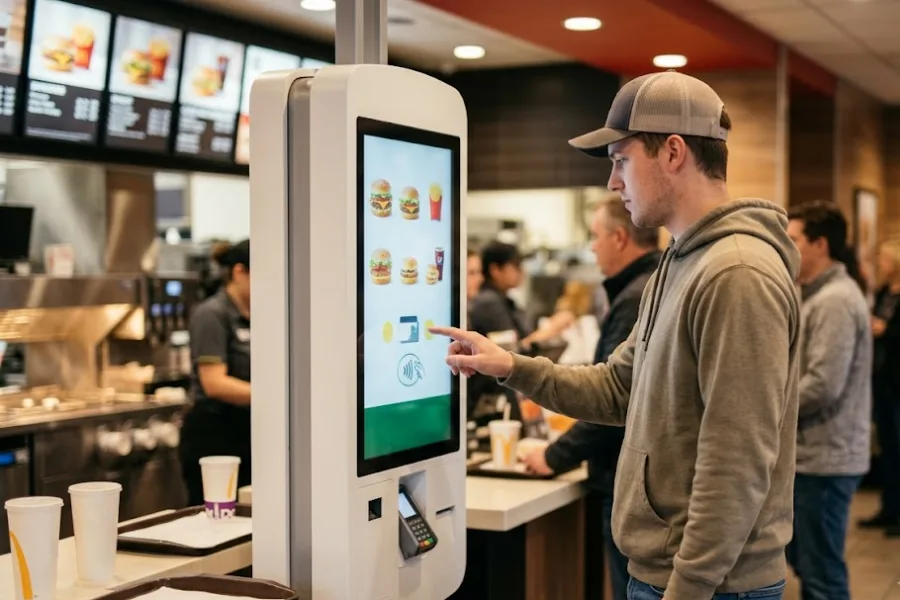
In the food and beverage industry, efficiency and order accuracy are key. POS systems will then feature touchscreen registers, kitchen display systems, and advanced order management tools to streamline communication between front and back of house.
Integration with self-service kiosks and QR code ordering is also becoming more common, reducing wait times and improving customer convenience during peak hours.
Service-Based Businesses (Salons, Repair Shops)
Service businesses need more than just transaction processing. Their POS systems often include appointment scheduling, CRM features, and detailed customer tracking to manage bookings and build long-term relationships.
Mobile POS solutions are also valuable, allowing staff to assist customers from anywhere within the store.
Large Enterprises & Multi-Store Chains
For larger operations, cloud-based POS systems provide centralized control over multiple locations. These systems enable real-time synchronization of sales, inventory, and customer data across stores. Then, businesses maintain consistency, optimize stock distribution, and make faster, data-driven decisions at scale.
Essential POS Equipment and Accessories You Need
Choosing the right hardware, accessories, and supporting tools helps your business run smoothly and keeps daily operations efficient.
Core POS Hardware
At the center of any setup are POS terminals, which can be desktop systems, tablets, or mobile devices. These terminals handle transactions and connect all other components.
Also, cash drawers and receipt printers remain essential for handling payments and providing proof of purchase. Barcode scanners and card readers further speed up the checkout process, allowing for quick product identification and seamless payment acceptance.
Point of Sale System Accessories
- Customer-facing displays allow shoppers to view order details and pricing in real time.
- Self-service kiosks are increasingly popular in busy environments, as they reduce queues and empower customers to place orders independently.
- RFID tools and inventory devices also track stock more accurately and manage inventory with less manual effort.
POS Supplies & Fittings Tools
Everyday supplies like receipt paper rolls and label printers ensure uninterrupted operations. Mounting stands, cables, and protective cases keep your hardware secure and organized. In addition, POS fitting tools help optimize store layout by positioning devices to improve workflow.
How to Choose the Right POS Register for Your Business?
Selecting the right point of sale register requires a clear understanding of how your business operates today and how it may grow in the future.
- Evaluate your business size & industry needs
A single store may require only a simple setup, while multi-store operations require centralized control and real-time synchronization. Industry-specific features also matter, such as inventory tracking for retail or order management for food service.
- Consider scalability and flexibility
Choose a system that can grow with your business, such as adding new locations, users, or features. Modular POS solutions allow you to expand over time, while all-in-one systems offer convenience with fixed capabilities.
- Integration with existing systems
Your POS should connect smoothly with e-commerce platforms, accounting software, CRM tools, and payment gateways to create a unified workflow.
- Budget and total cost of ownership
Finally, look beyond upfront hardware costs and factor in software subscriptions, maintenance, and future upgrades to make a well-informed decision.
Key Features to Look for in a Modern POS Cash Register System
Modern POS systems are designed to do more than process transactions. The right set of features can improve efficiency, support better decisions, and enhance customer satisfaction.
- Cloud-based architecture with real-time sync: Access your data anytime and ensure sales, inventory, and customer information stay updated across all channels and locations.
- Offline mode capability: Keep your business running even during internet disruptions, with automatic data syncing once the connection is restored.
- Multi-payment support: Accept various payment methods, including cards, e-wallets, and buy now, pay later (BNPL), to meet customer preferences.
- Inventory and order management: Track stock levels, manage orders, and reduce errors with automated updates.
- Customer data & loyalty programs: Store customer profiles and purchase histories, and offer personalized promotions to build long-term relationships.
- Reporting and analytics: Gain insights into sales performance, customer behavior, and trends to support smarter business decisions.
Why ConnectPOS Is a Smart POS Register Solution for Modern Retailers
Choosing a POS system that can keep up with changing retail demands is essential. ConnectPOS offers a flexible and powerful solution designed to support both current operations and future growth.
- Next-generation cloud POS: Enjoy real-time synchronization across online and offline channels, ensuring uninterrupted sales and accurate data at all times.
- API-first, microservices architecture: Customize and expand your system easily without disrupting existing operations, making it ideal for evolving business needs.
- Multi-source inventory (MSI): Manage inventory across multiple warehouses with real-time tracking, preventing stockouts and overselling.
- Seamless integrations: Connect effortlessly with platforms like Shopify, Magento, and BigCommerce to unify your online and offline sales.
- Self-service options: Use kiosks, tablets, and mobile devices to reduce wait times and improve the shopping experience.
- Consumer app: Build stronger relationships through loyalty programs, personalized offers, and customer engagement tools.
- Automation features: Streamline workflows, segment customers, and run targeted promotions with ease.
- Scalable performance: Handle large product catalogs and multi-store operations without compromising speed or efficiency.
FAQs: Point of Sale Register
1. What is the difference between a POS register and a cash register?
A cash register is a basic tool used to process transactions, store cash, and print receipts. A POS (Point of Sale) register is a more advanced solution that combines hardware and software to manage multiple aspects of your business. In addition to processing sales, it can track inventory in real time, store customer information, generate reports, and integrate with systems
2. What point of sale equipment do I need to get started?
To get started, you typically need a POS terminal (desktop, tablet, or mobile device), a card reader for payments, and a receipt printer. Many businesses also use barcode scanners and cash drawers. Depending on your setup, you might add customer-facing displays or inventory tools to improve efficiency.
3. Can a POS system work offline?
Yes, many modern POS systems offer offline mode. This allows you to continue processing transactions even when your internet connection is down. Once the connection is restored, the system automatically syncs all data to keep your records accurate and up to date.
4. How much does a POS cash register system cost?
Costs vary based on hardware, software, and features. Basic setups for small businesses may start with affordable hardware and a monthly subscription, while more advanced systems with multiple terminals and integrations can require a higher investment. It’s important to consider both upfront and ongoing costs.
5. What are the best POS products for small businesses?
The best POS systems for small businesses are easy to use, affordable, and scalable. Cloud-based solutions with features like inventory tracking, sales reporting, and flexible payment options are often a good fit for growing businesses.
6. How do I choose the right POS equipment for sale?
Start by evaluating your business type, store size, and daily operations. Look for equipment that supports your workflow, integrates with your existing systems, and can grow with your business. Prioritize reliability, ease of use, and compatibility with your long-term goals.
In Summary,
Choosing the right point of sale register is a key step toward building a more efficient and customer-friendly business. The ideal system should match your industry needs, support your daily operations, and scale as your business grows. By focusing on the right features, integrations, and flexibility, you can create a smoother workflow and deliver better experiences at every touchpoint.
If you’re looking for a reliable, future-ready POS solution, ConnectPOS is here to help. Get in touch with our team today to explore how our system can support your business goals and set you up for long-term success.
►►► Optimal solution set for businesses: Shopify POS, Magento POS, BigCommerce POS, WooCommerce POS, NetSuite POS, E-Commerce POS