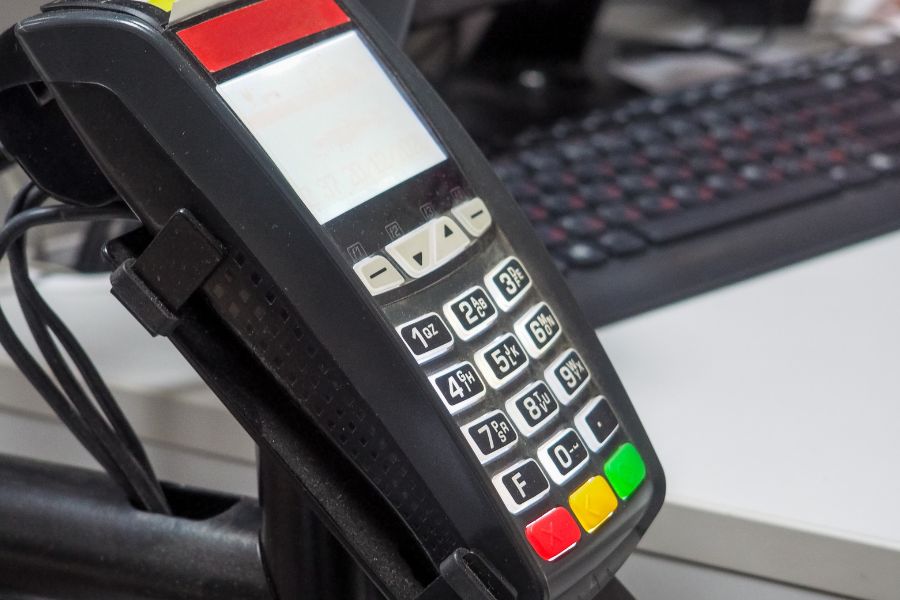
Internet-based POS systems run most stores smoothly, until the Wi‑Fi drops. Then the real question hits: can you still take orders, accept payments, and keep lines moving, or does everything freeze? That’s why offline mode in POS matters. It keeps sales going during outages, protects revenue during peak hours, and saves your team from scrambling when the network acts up.
We’ll look into more details now: what offline mode means, what it should cover, which POS types support it, and how ConnectPOS handles offline selling.
What does offline mode in POS mean?
Offline mode in a POS (Point of Sale) system means the POS can continue to operate when the internet connection is unavailable or unstable.
A POS with offline mode can typically still:
- Ring up sales and create carts
- Scan/search products and apply pricing rules
- Apply discounts (based on what’s already synced)
- Print or send receipts (depending on hardware setup)
- Save transactions locally for later sync
Then, once the connection is restored, the POS syncs queued transactions to the cloud/back office, so reports, inventory, and customer records remain accurate.
One point to confirm with any vendor: offline mode rarely equals “full mode.” Some functions may pause until the system reconnects.
When offline mode in POS matters most
Offline mode sounds like a “nice-to-have” until you’re in one of these moments:
- Lunch rush in a quick-service restaurant: one router issue can turn into a line out the door.
- Retail weekends and holiday campaigns: high volume means outages cost more per minute.
- Pop-ups, fairs, and mobile selling: networks are often crowded or unreliable.
- Old buildings or rural locations: signal drops happen even with good providers.
- Multi-location stores: one site can go down even if HQ is fine.
Regardless of industry, the pattern is the same: the store still has customers, yet the internet doesn’t cooperate.
What a POS should keep working in offline mode
Offline mode only matters if it covers the workflows your staff needs to complete a sale. These are the features worth checking before you commit to any POS:
Product lookup and cart building
Your team should be able to scan barcodes, search products, and add items to the cart using the last-synced catalog data. If product lookup fails offline, you’ll see slowdowns and pricing mistakes.
Pricing, taxes, and basic discounts
A POS should retain synced tax rules and active pricing so transactions stay correct. Some promotion types may be limited offline, so it’s smart to confirm what applies and what pauses.
Payments (what’s realistic offline)
Offline payments depend on payment processor rules and your risk settings.
Common offline-friendly options:
- Cash payments
- Gift cards/store credit (if stored locally and supported)
- Card payments with offline capture (available in some setups, with strict limits and fraud controls)
Card “offline mode” often means the POS stores the payment to process later. Yet that carries risk: the card may decline when the system reconnects. For that reason, many businesses set thresholds or require manager approval for offline card transactions.
Receipts and proof of purchase
Receipts reduce disputes and smooth returns. Some setups print offline without issues; others may need a reconnect for email/SMS receipts. It’s worth testing with your hardware.
Local transaction storage and safe sync
Offline mode should store transactions securely and sync them cleanly when online again, without duplicate orders, missing receipts, or broken reports.
What offline mode usually can’t do
This part gets skipped in many articles, but it’s what store owners feel first.
In most POS systems, these actions typically require internet access:
- Syncing across devices in real time
- Pulling fresh catalog updates made by HQ moments ago
- Pulling live stock from other locations
- Some CRM actions that require server validation
- Certain third-party integrations (shipping, loyalty engines, accounting sync)
A practical rule: if it depends on “latest data everywhere,” it usually needs the intern
Types of POS that support offline mode
Offline mode varies by architecture. Below is a clearer way to think about it.
Hybrid POS system
It works as it is called. Like hybrid cars consume petrol and electricity, hybrid POS can work in two ways – online and offline. If there is an internet outage, the POS keeps working with a fixed function. It stores data on the hard disc, then synchronizes at the time when the internet comes back. For instance, TouchBistro is a hybrid POS where the system can operate on a hardwired, local connection without the Internet.
Examples:
- Toast POS (for restaurants)
- Revel Systems
- Clover POS
Best for: Restaurants, full-service businesses, and multi-location retailers
Cloud POS with offline capability
The web-based POS depends strongly on the Internet to run smoothly. Despite this fact, more suppliers are now adding the offline mode function to improve the customer experience. It does not need an Internet connection to perform basic functions, for example, attach customer transactions and store payments in the hard drive.
These are internet-first systems that save data to the cloud, but also allow sales during internet outages by storing data locally.
Examples:
- ConnectPOS
- Square POS
- Shopify POS
- Lightspeed Retail
Best for: Retail stores, mobile vendors, cafes, and small-to-medium businesses
On-premise POS (fully local)
Traditional On-Premise POS refers to systems that are installed locally on a business’s own hardware (like a desktop computer or server) rather than being hosted in the cloud. These systems are self-contained and function entirely offline, making them especially useful for businesses with unreliable internet or high security requirements.
Examples:
- NCR Counterpoint
- QuickBooks POS (desktop version)
Best for: High-volume businesses or locations with consistently poor internet.
Mobile POS (mPOS) with Offline Capabilities
Mobile POS (mPOS) systems are lightweight, portable solutions that allow businesses to complete transactions using smartphones, tablets, or dedicated handheld devices. Many modern mPOS systems are cloud-based but also come with offline functionality, ensuring uninterrupted sales even during internet outages.
Examples:
- Zettle by PayPal
- SumUp POS
- Square mPOS
Best for: Market stalls, trade shows, delivery services, and pop-up shops.
ConnectPOS: built for stores that sell anywhere
ConnectPOS is a retail-focused POS platform designed for brands that need stable checkout, clean inventory control, and connected omnichannel workflows. It fits stores that run busy counters, manage multiple locations, or sell at pop-ups and events where conditions aren’t always predictable.
How it works in day-to-day selling:
- You connect online first so the POS syncs your latest catalog, customers, inventory, tax rules, and settings
- If the internet drops, ConnectPOS continues running core checkout in offline mode
- Transactions are stored locally on the device
- When the connection returns, the POS syncs sales data back to the system so reporting and stock updates stay consistent
Furthermore, ConnectPOS offers plenty of useful features for retailers.
Fast, flexible checkout
ConnectPOS supports quick scanning, product search, and smooth payment workflows so staff can keep lines moving during peak hours. It also works well for assisted selling, where associates build carts and complete purchases right on the floor.
Real-time inventory visibility
You can track inventory across stores and channels, which matters when customers ask for another size, color, or pickup location. This visibility also supports smarter replenishment and cleaner stock control across multiple locations.
Omnichannel workflows
ConnectPOS connects in-store and online operations so you can support experiences customers expect, such as:
- Click & collect (BOPIS)
- Ship-from-store
- Cross-channel returns and exchanges
- Endless aisle selling when an item isn’t available on the shelf
Customer profiles and loyalty-ready data
ConnectPOS keeps customer and transaction history organized so you can personalize service, run targeted campaigns, and build long-term retention based on real purchase behavior.
Multi-store management and reporting
For growing retailers, ConnectPOS centralizes pricing rules, product catalogs, user permissions, and reporting across locations. Managers can review performance by store, staff, and product category without piecing data together manually.
Last words
Offline mode in POS won’t prevent internet outages, but it does prevent outages from stopping sales. If your store sees peak-hour traffic, runs events, or operates in areas with unstable connectivity, offline mode turns into a revenue safeguard rather than a feature checkbox.
If you want a POS that keeps selling during downtime and syncs cleanly after reconnecting, ConnectPOS is a strong option to consider. Get in touch with us!
►►► Optimal solution set for businesses: Shopify POS, Magento POS, BigCommerce POS, WooCommerce POS, NetSuite POS, E-Commerce POS